
SlideSpeak

Turn PDFs, Word docs, and ideas into professional PowerPoint slides in minutes. AI-powered editor, video, and branding. Trusted by 1M+ users.
Editor's Verdict
Key Takeaways
- AI Presentation Generator
- AI Editor & Features
- AI Video Presentations
- AI Summarizer
In-Depth Review: What is SlideSpeak?
SlideSpeak is an AI presentation platform that instantly converts documents, text, and ideas into polished, native PowerPoint files. With powerful AI features like content generation, video presentations, image creation, and brand kit application, users can create, edit, and translate presentations effortlessly. Trusted by over 1 million people worldwide, SlideSpeak streamlines workflows for consultants, students, educators, and enterprises, saving time while delivering professional results.
Core Features
AI Presentation Generator
Create polished presentations from a prompt, document, or idea in minutes. No design skills required.
AI Editor & Features
Edit slides, create videos, translate presentations, and apply branding with AI. Includes text refining, layout redesign, and icon suggestions.
AI Video Presentations
Generate narrated video presentations with voiceovers for social media, training, and explainer content.
AI Summarizer
Summarize PowerPoint, Word, and PDF documents into concise overviews or use the Document Chat Bot for specific information.
Brand Kit Application
Automatically apply your fonts, colors, and logos across all slides to maintain brand consistency.
Quiz Creation & LMS Export
Turn any deck into a quiz with AI-generated questions. Export to LMS (QTI 1.2, Brightspace CSV) for seamless integration.
AI Image Generation
Create high-quality, on-brand images directly inside your presentation by describing what you need.
Native PowerPoint Export
Export as real .pptx files with fonts, layouts, and formatting intact, compatible with Microsoft PowerPoint.
Pricing
Free Tools
- Quiz generator
- Video converter
- Narration
- Worksheets
- Flashcards
- Limited daily usage
Premium Plus (Lifetime Access)
- Unlimited access to all features
- Brand kit application
- AI image generation
- Quiz export
- Priority support
Paid Plans (monthly)
- Full feature set
- Higher usage limits
- Team collaboration
- Custom branding
Pros and Cons
Pros
- High-Quality PresentationsGenerates professional, polished slides from documents, text, or ideas with no design skills needed.
- Narrated Video LessonsQuickly create AI-powered video presentations with voiceovers, ideal for training and education.
- LMS-Ready QuizzesExport quizzes as QTI files for Canvas, Brightspace, and Schoology without a district plan.
- File-Based InputWorks directly from PDFs, Word, Excel, and PowerPoint files, not limited to browser extensions.
- Brand ConsistencyAutomatically enforces brand colors, fonts, and logos across all slides for a unified look.
Cons
- Limited Teacher AssistanceLacks features for student writing feedback, reading-level adjustment, and AI detection compared to dedicated teaching tools.
- No Browser ExtensionWorks as a standalone platform rather than integrating directly into Google Docs or LMS pages.
- Pricing for Full AccessWhile free tools exist, advanced features require a paid subscription starting at $29/month.
- Not Ideal for Real-Time CollaborationPrimarily designed for individual or asynchronous team use, lacks live co-editing capabilities.
- Learning Curve for Advanced EditingUsers accustomed to traditional presentation software may need time to adapt to AI-driven workflows.
Use Cases & Recommended Professions
Consultant→ View Toolkit
Streamline client presentations and reports with AI-powered tools, ensuring professional, branded slides quickly.
Student→ View Toolkit
Ace assignments and projects by generating presentations from notes, PDFs, or lecture materials in minutes.
Teacher/Educator→ View Toolkit
Enhance lectures and course materials with engaging AI-generated slides, narrated videos, and LMS-ready quizzes.
Marketing Professional→ View Toolkit
Create on-brand presentations for campaigns, pitch decks, and reports with consistent branding and visuals.
Sales Representative→ View Toolkit
Quickly produce polished pitch decks that can be customized per prospect while maintaining design consistency.
Product Manager→ View Toolkit
Efficiently build roadmaps, board presentations, and quarterly reviews with AI-assisted design and content updates.
Frequently Asked Questions
Alternative AI Tools
View Detailed Comparison →
Figr
Ship better UX faster. Figr builds a living understanding of your product, maps flows, finds edge cases, and generates high-fidelity prototypes from your actual design system.


Prezi
Prezi AI creates studio-quality presentations from your ideas. Describe or upload, get a polished deck in seconds. Refine via chat, export as PPTX or PDF. No design skills needed.


Superdesign
Create stunning designs with AI. Iterate quickly using natural language. Export production-ready code. Browse design prompts and styles.


SlidesAI
Create beautiful presentations from notes, prompts, or docs with SlidesAI. Works in Google Slides, PowerPoint, ChatGPT & web. Save 85% time.


Figma
Figma is the intelligent, AI-native canvas for designing, prototyping, and building products together. Trusted by 95% of Fortune 500. Explore design and dev tools.


AiPPT
Transform ideas into stunning presentations instantly with AiPPT. Generate slides from text, documents, URLs, or templates. Import from Google Drive. Free and paid plans.


UX Pilot
Ideate, design, and hand-off web apps in seconds with UX Pilot's AI. Generate wireframes, hi-fi designs, and clean code. Trusted by 1M+ users.


Figma Console MCP
Connect AI to Figma for design extraction, token sync, and component creation. Turn your design system into a programmable API.


Presentation Maker AI
Create professional presentations in minutes with our AI presentation maker. Ideal for students, teachers, and businesses. No design skills needed. Try free!


AIDesigner
Create premium UI, logos, brand kits, and more with AIDesigner. No design experience needed. Free to try, no credit card required. Join 15,000+ users.



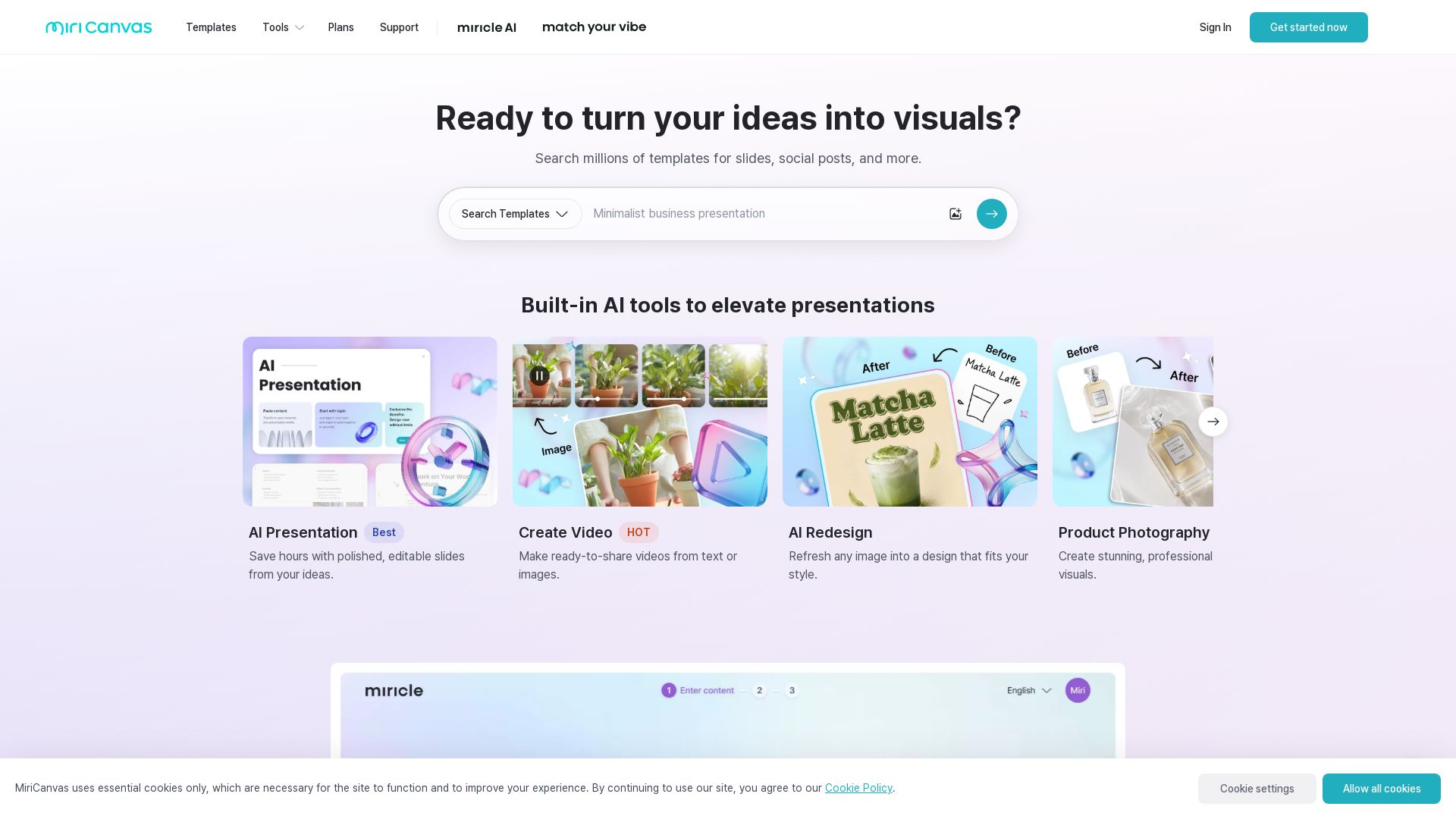
MiriCanvas
Create stunning presentations, videos, and social graphics with MiriCanvas AI. Over 530K templates, 10M+ elements. Try free!

ℹ️ Curation Disclosure: The overview and features of SlideSpeak were synthesized using AI and fact-checked by our curation team to ensure accuracy.
