
Project Planner
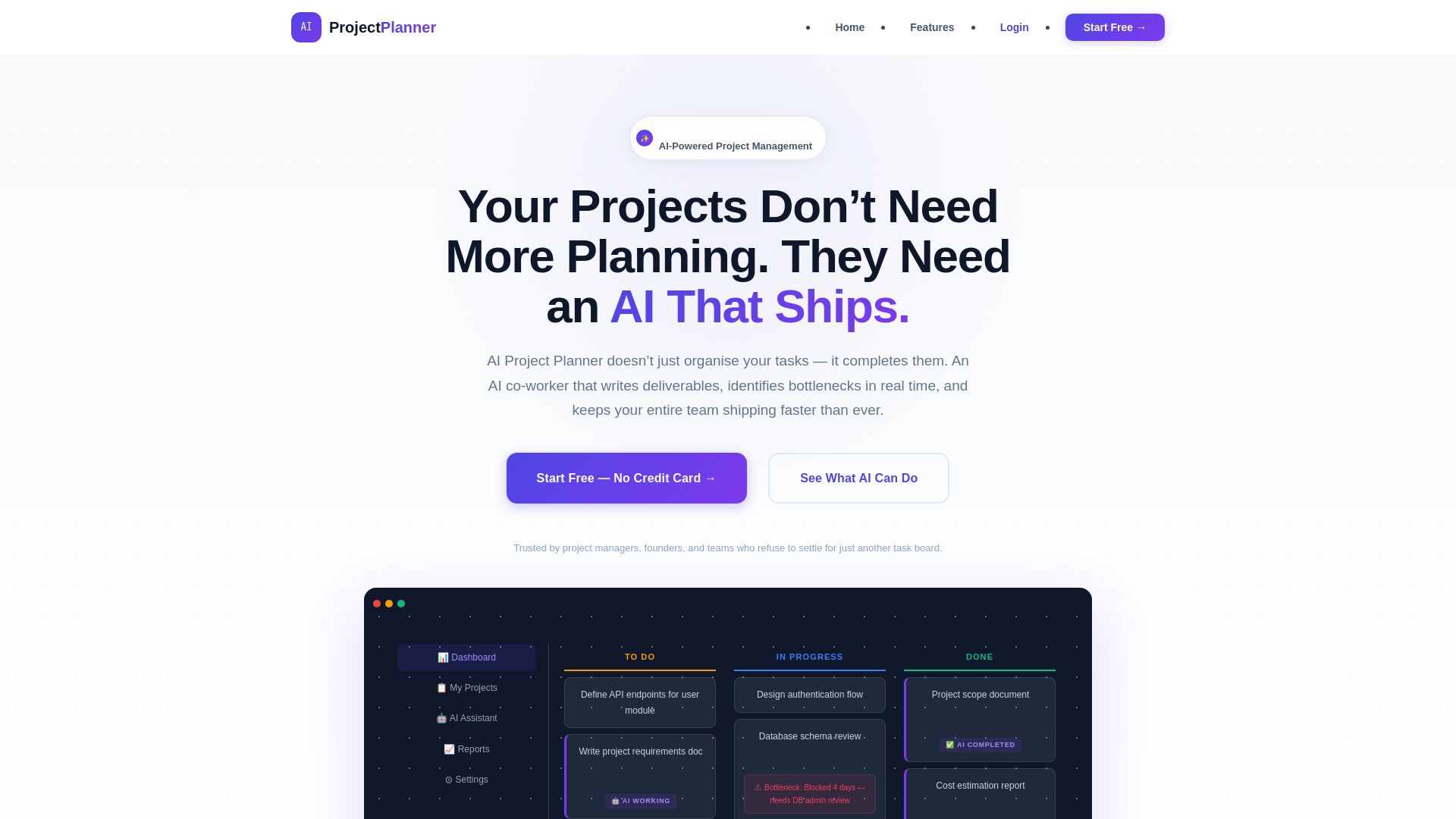
Stop managing tasks. Let AI write documents, estimate costs, detect bottlenecks, and accelerate delivery. Start free.
Editor's Verdict
Key Takeaways
- AI Co-Worker
- AI Bottleneck Analyzer
- AI Task Decomposition
- AI Document Generation
In-Depth Review: What is Project Planner?
AI Project Planner is an AI-powered project management platform that acts as a real co-worker: it plans projects, breaks down work, and completes deliverables—requirements docs, cost estimates, reports—while continuously monitoring for bottlenecks and optimizing workflows. Reduce documentation time by 70%, kick off projects 3x faster, and eliminate hidden bottlenecks. Start free, no credit card.
Core Features
AI Co-Worker
Assign tasks to the AI just like a team member. It generates complete deliverables such as requirement documents, cost estimates, and technical specifications, which you can review, edit, or approve.
AI Bottleneck Analyzer
Monitors your Kanban board in real time to detect stuck tasks, blocked dependencies, and capacity imbalances, with specific recommendations to resolve them before they escalate.
AI Task Decomposition
Breaks high-level objectives into detailed, sequenced tasks with estimated durations, dependencies, and suggested assignments, accelerating project planning.
AI Document Generation
Generates professional project documents (requirements, charters, cost reports, risk assessments, and progress reports) based on your project data, saving hours of manual work.
AI Progress Reports & Dashboards
One-click weekly and monthly reports showing velocity trends, risk flags, completion forecasts, and AI-generated recommendations for stakeholder updates.
Cost Estimation Engine
Produces detailed cost breakdowns (labour, materials, software, contingency) from project parameters, with exportable reports for finance and clients.
Intelligent Kanban Board
Drag-and-drop task management enhanced by AI analysis of workflow health, pipeline congestion, and team workload, providing data-driven insights directly on the board.
Pricing
Starter
- Up to 3 projects
- AI task decomposition
- Basic Kanban board
- AI document generation (5/month)
- Bottleneck alerts (basic)
- 1 team member
- Community support
Professional
- Unlimited projects
- Full AI Co-Worker capabilities
- Unlimited AI document generation
- AI cost estimation engine
- Advanced Bottleneck Analyzer
- AI progress reports & dashboards
- Up to 20 team members
- Dependency mapping
- Multi-project portfolio view
- Priority email support
Enterprise
- Everything in Professional
- Unlimited team members
- Dedicated AI processing capacity
- Custom AI training on your processes
- Advanced portfolio analytics
- SSO / SAML authentication
- Custom integrations & API access
- Dedicated success manager
- SLA guarantees
- On-premise deployment option
Pros and Cons
Pros
- AI Delivers Real OutputThe AI doesn't just suggest or chat; it produces complete documents, estimates, and reports, reducing the team's manual workload.
- Real-Time Bottleneck DetectionMonitors your pipeline 24/7 and flags stuck tasks, blocked dependencies, and capacity issues with actionable recommendations.
- Fast Project KickoffAI task decomposition and document generation let you start projects and produce deliverables in minutes instead of days.
- Transparent and Fair PricingFree plan available, no credit card required, and no lock-in contracts. Annual discounts offered for Professional.
- Data Privacy and SecurityProject data is never used for training, shared with third parties, or accessed outside your team.
Cons
- Free Plan LimitationsStarter plan limits to 3 projects, 5 AI documents per month, and only 1 team member, which may be insufficient for small teams.
- Professional Plan Cost for Larger TeamsAt $29/user/month, the cost can add up for teams larger than 20, and the per-user billing may be prohibitive for some organizations.
- Dependence on AI AccuracyAI-generated documents and estimates require human review; errors or inaccuracies may still need correction.
- Limited Customization in Lower PlansAdvanced features like custom AI training, SSO, and dedicated capacity are only available in the Enterprise plan.
- No Offline ModeThe platform appears to be cloud-based, which may be a concern for teams with intermittent internet access or strict data residency requirements.
Use Cases & Recommended Professions
Project Manager→ View Toolkit
Automates status updates, documentation, and bottleneck detection, allowing you to focus on strategy and stakeholder management.
Business Owner / Founder→ View Toolkit
Provides an AI-powered project office that plans, documents, and monitors projects with minimal overhead, helping you build faster.
Software Engineer→ View Toolkit
Frees you from writing specifications and updating task boards, letting you spend more time coding and solving technical challenges.
Designer→ View Toolkit
Handles operational overhead like scoping and reporting, so you can concentrate on creative work without administrative distractions.
Agency Lead→ View Toolkit
Manages multiple client projects from a single dashboard, with AI-generated reports and bottleneck alerts to keep teams on track.
Product Manager→ View Toolkit
Accelerates product planning with AI task decomposition and document generation, while monitoring pipeline health across releases.
Frequently Asked Questions
Alternative AI Tools
View Detailed Comparison →
Figr
Ship better UX faster. Figr builds a living understanding of your product, maps flows, finds edge cases, and generates high-fidelity prototypes from your actual design system.


Figma
Figma is the intelligent, AI-native canvas for designing, prototyping, and building products together. Trusted by 95% of Fortune 500. Explore design and dev tools.


Superdesign
Create stunning designs with AI. Iterate quickly using natural language. Export production-ready code. Browse design prompts and styles.


Figma Console MCP
Connect AI to Figma for design extraction, token sync, and component creation. Turn your design system into a programmable API.




UX Pilot
Ideate, design, and hand-off web apps in seconds with UX Pilot's AI. Generate wireframes, hi-fi designs, and clean code. Trusted by 1M+ users.


Komposo
Turn product ideas into real, editable designs with AI. Generate, edit, and export UIs using plain language. Trusted by 100k+ users. Start for free.


Motiff AI
Generate production-ready UI from text, wireframes, or screenshots with Motiff AI. Choose preset styles, export to React/HTML. Fast, consistent design.


Anima
Convert Figma designs, images, and code into live HTML/React apps. AI with design context for developers and agents.


PrometAI
Generate investor-ready business plans in minutes with PrometAI's AI. Trusted by 100,000+ founders. Start for free, no guesswork.

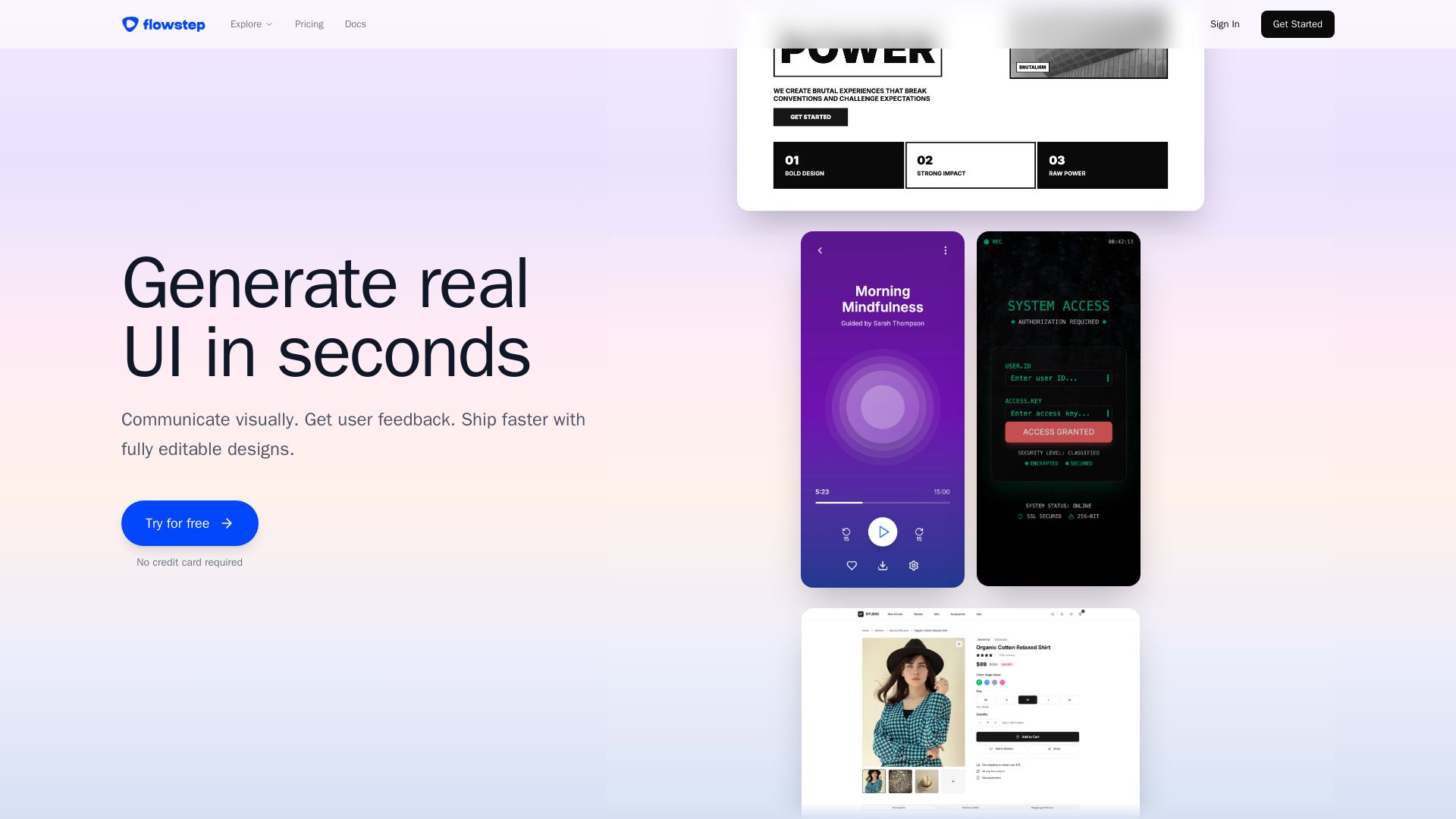
Flowstep
Describe your idea and watch it become editable UI. Collaborate, export code, and copy to Figma instantly. Ship faster.


AIDesigner
Create premium UI, logos, brand kits, and more with AIDesigner. No design experience needed. Free to try, no credit card required. Join 15,000+ users.

ℹ️ Curation Disclosure: The overview and features of Project Planner were synthesized using AI and fact-checked by our curation team to ensure accuracy.
