
Evoto

AI-powered photo culling, retouching & batch editing. Save hours, get natural results. Trusted by 1M+ photographers.


Editor's Verdict
Key Takeaways
- AI Photo Culling
- Portrait Retouching
- Background Adjustments
- Batch Processing
In-Depth Review: What is Evoto?
Evoto is the ultimate AI-driven photography platform that automates the entire workflow from culling to delivery. It offers per-face retouching, color grading, background adjustments, and batch processing across desktop, mobile, iPad, and online. With enterprise-grade security and cross-platform sync, Evoto helps professional photographers reduce editing time by up to 90%, maintain consistent quality, and focus on creativity. Used by over 1 million photographers in 200+ countries.
Core Features
AI Photo Culling
Quickly identify the strongest shots from high-volume shoots, reducing time spent sorting through images.
Portrait Retouching
AI-powered skin smoothing, blemish removal, and facial enhancements that preserve natural texture.
Background Adjustments
Remove, replace, or blur backgrounds with AI-driven precision, including white/black background swaps and bokeh effects.
Batch Processing
Apply edits to multiple photos simultaneously, syncing adjustments across entire sets to speed up workflow.
Color Grading
AI color matching, cinematic filters, and full color adjustments for consistent and creative looks.
Cross-Platform Sync
Seamlessly work across Desktop, iPad, Mobile, and Online platforms with projects always in sync.
Pricing
Starter Plan
- 800 credits per year
- 2 device accounts
- Basic Color Adjustments (credit-free)
- Full AI feature access
- MacOS, Windows, iPad support
- 7-day free trial with 50 free credits
Basic Plan
- 1600 credits per year
- 3 device accounts
- Basic Color Adjustments (credit-free)
- Full AI feature access
- MacOS, Windows, iPad support
- 7-day free trial with 50 free credits
Basic Plus Plan
- 3600 credits per year
- 4 device accounts
- Basic Color Adjustments (credit-free)
- Full AI feature access
- MacOS, Windows, iPad support
- 7-day free trial with 50 free credits
Standard Plan
- 9000 credits per year
- 5 device accounts
- Basic Color Adjustments (credit-free)
- Full AI feature access
- MacOS, Windows, iPad support
- Dedicated account manager
Standard Plus Plan
- 24000 credits per year
- 6 device accounts
- Basic Color Adjustments (credit-free)
- Full AI feature access
- MacOS, Windows, iPad support
- 1v1 tutorials
Pros and Cons
Pros
- Massive Time SavingsCuts editing from days to hours or minutes, as confirmed by user testimonials.
- AI Accuracy & Natural ResultsPer-face AI retouching preserves natural skin texture and avoids over-processed looks.
- End-to-End WorkflowIntegrates culling, retouching, batch processing, and delivery in one tool.
- Cross-Platform FlexibilityAvailable on Desktop, iPad, Mobile, and Online, with project sync across devices.
- Enterprise-Grade SecurityISO/IEC 27001 & SOC 2 Type II certified, GDPR and CCPA compliant.
Cons
- Credit-Based SystemAll plans use credits per photo; heavy users may need higher-tier plans or add-ons.
- Learning Curve for New UsersDespite user-friendly interface, photographers accustomed to traditional software may need adjustment.
- Dependence on Cloud StorageSome features require cloud upload; data privacy concerns may arise for sensitive projects.
- Add-On Costs for StorageAdditional storage packs are sold separately and can increase total cost.
- Results VariabilityEffectiveness depends on image quality, lighting, and subject pose; results may not always be perfect.
Use Cases & Recommended Professions
Wedding Photographer→ View Toolkit
Needs fast culling and consistent batch editing for hundreds of wedding images with natural retouching.
Portrait Photographer→ View Toolkit
Benefits from per-face AI retouching that maintains skin texture for headshots and portraits.
Event Photographer→ View Toolkit
Handles high-volume shoots and requires quick turnaround with reliable culling and batch processing.
Commercial Photographer→ View Toolkit
Requires precise background adjustments and color matching for product and fashion photography.
Photo Retoucher→ View Toolkit
Seeks to automate repetitive tasks like blemish removal and skin smoothing while retaining control.
Studio Manager→ View Toolkit
Oversees multiple photographers' workflows and needs a cohesive platform for editing and delivery.
Frequently Asked Questions
Alternative AI Tools
View Detailed Comparison →
Figr
Ship better UX faster. Figr builds a living understanding of your product, maps flows, finds edge cases, and generates high-fidelity prototypes from your actual design system.


Superdesign
Create stunning designs with AI. Iterate quickly using natural language. Export production-ready code. Browse design prompts and styles.


UX Pilot
Ideate, design, and hand-off web apps in seconds with UX Pilot's AI. Generate wireframes, hi-fi designs, and clean code. Trusted by 1M+ users.


Figma
Figma is the intelligent, AI-native canvas for designing, prototyping, and building products together. Trusted by 95% of Fortune 500. Explore design and dev tools.


Figma Console MCP
Connect AI to Figma for design extraction, token sync, and component creation. Turn your design system into a programmable API.




Komposo
Turn product ideas into real, editable designs with AI. Generate, edit, and export UIs using plain language. Trusted by 100k+ users. Start for free.


Motiff AI
Generate production-ready UI from text, wireframes, or screenshots with Motiff AI. Choose preset styles, export to React/HTML. Fast, consistent design.


Lovart
Design stunning product pages, campaign visuals, and brand assets with Lovart's AI. Edit precisely, maintain style, and optimize for SEO. Get started free!


AIDesigner
Create premium UI, logos, brand kits, and more with AIDesigner. No design experience needed. Free to try, no credit card required. Join 15,000+ users.


Anima
Convert Figma designs, images, and code into live HTML/React apps. AI with design context for developers and agents.

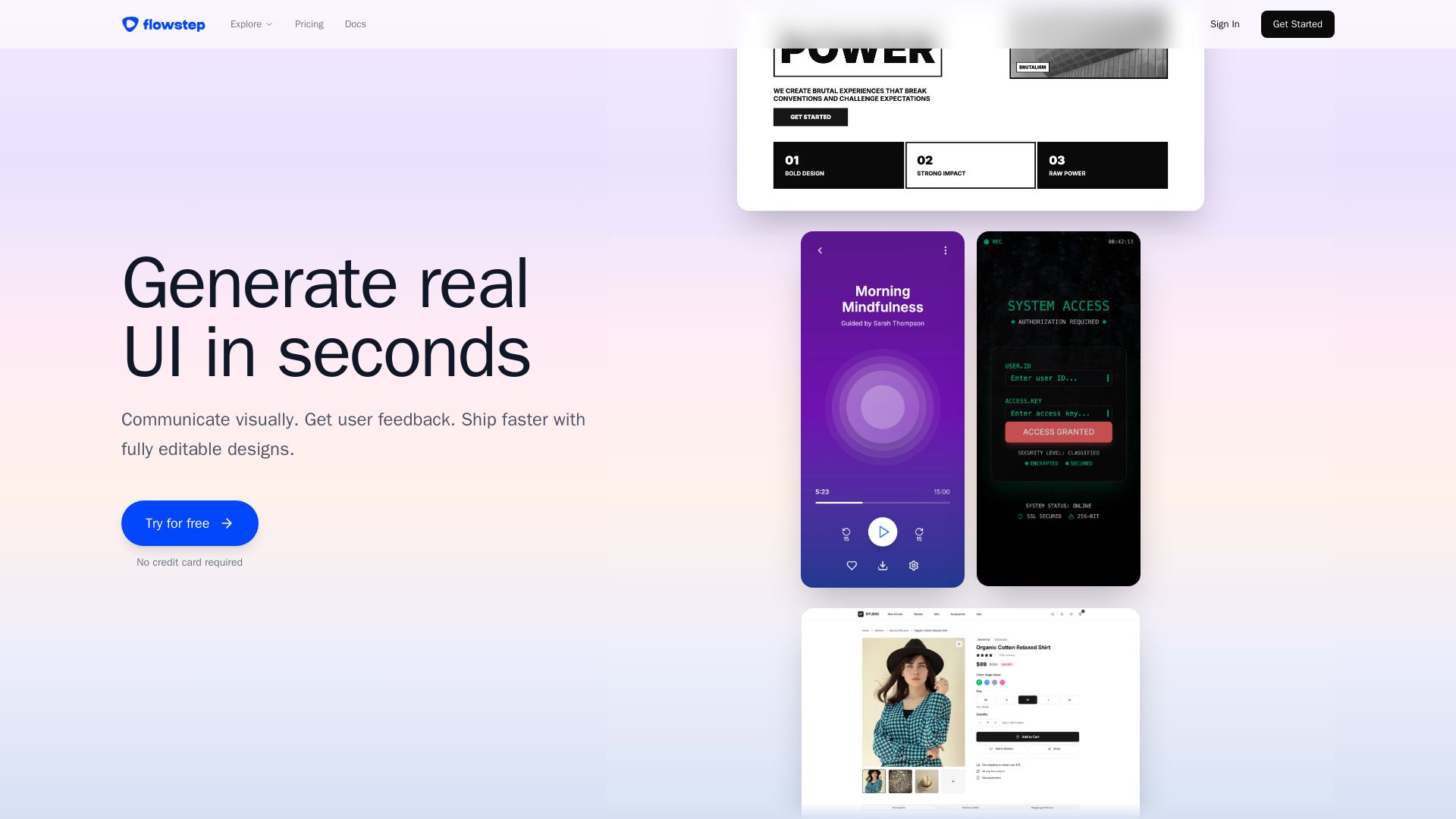
Flowstep
Describe your idea and watch it become editable UI. Collaborate, export code, and copy to Figma instantly. Ship faster.

ℹ️ Curation Disclosure: The overview and features of Evoto were synthesized using AI and fact-checked by our curation team to ensure accuracy.
