
EdrawMax
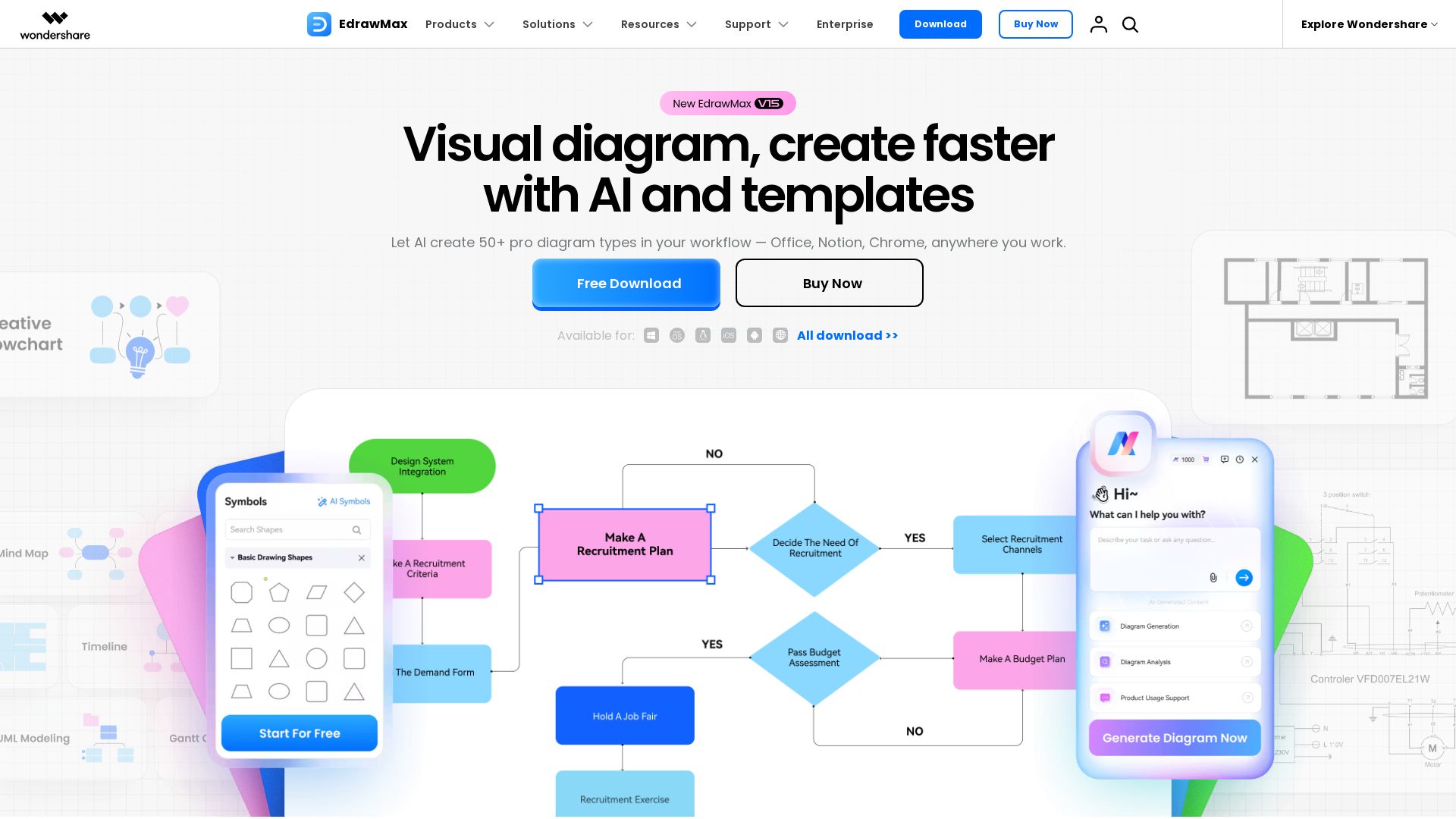
Create professional diagrams effortlessly with EdrawMax AI. Flowcharts, floor plans, network diagrams, and more. Trusted by 30M+ users. Free download.



Editor's Verdict
Key Takeaways
- AI Diagramming
- 210+ Diagram Types
- Professional Templates & Symbols
- Cross-Platform & Integration
In-Depth Review: What is EdrawMax?
EdrawMax is an all-in-one diagramming tool powered by AI and backed by 210+ template types. It turns any input—text, docs, spreadsheets, code, or images—into clear, editable diagrams. Features include conversational AI, real-time data integration, and seamless workflow with Office, Notion, and Chrome. Ideal for engineers, IT managers, marketers, educators, and consultants for creating flowcharts, floor plans, UML diagrams, Gantt charts, and more. With 4.6 stars on G2 and Capterra, it's the top Visio alternative for those who need precision, speed, and collaboration.
Core Features
AI Diagramming
Conversational AI that understands any input, fetches live data, and adapts through dialogue, creating professional diagrams from text, docs, spreadsheets, code, and images.
210+ Diagram Types
Supports a wide range of diagrams including flowcharts, floor plans, electrical plans, UML, network diagrams, Gantt charts, and more, each with professional templates.
Professional Templates & Symbols
Access to 20K+ icons and 300+ industry-specific templates, enabling quick starting points for any field.
Cross-Platform & Integration
Works on desktop, web, and mobile, and integrates seamlessly with Word, PowerPoint, Notion, DingTalk, and browsers for effortless diagram creation.
Real-Time Data Sync
AI fetches real-time data and updates diagrams automatically, keeping reports and analysis current without manual intervention.
Security & Compliance
GDPR and ISO 27001 certified with enterprise-grade encryption, role-based access control, and private cloud storage.
Pricing
Free
- Basic diagramming
- Limited templates
- Online access
Individual
- Full template library
- AI features
- Export options
- Cloud storage
Business
- Team collaboration
- Admin controls
- Priority support
- Enterprise-grade security
Education
- Discounted plans for schools
- Classroom management
- Educational templates
Pros and Cons
Pros
- AI-Powered EfficiencyReduces manual drawing effort with AI that creates diagrams from text, code, or data, and automatically adjusts layouts.
- Extensive Template LibraryOver 20,000 icons and 300+ templates across industries, making it easy to start any diagram project.
- Seamless IntegrationWorks as an add-in within Office, Notion, and browsers, allowing diagram creation without switching tools.
- Cross-Platform AvailabilityAccessible on desktop, web, and mobile, enabling work from anywhere at any time.
- Strong SecurityGDPR and ISO 27001 compliant with role-based access and encrypted cloud storage, trusted by millions.
Cons
- Learning CurveSome users report needing time to learn advanced features, though support and tutorials help mitigate this.
- Pricing Not TransparentDetailed plan pricing is not clearly listed on the page, requiring users to contact sales for quotes.
- Limited Free VersionThe free version offers basic functionality only, with many advanced features locked behind paid plans.
Use Cases & Recommended Professions
Project Manager→ View Toolkit
Needs to create Gantt charts, roadmaps, and process flowcharts to track timelines and communicate project status clearly.
IT/Network Engineer→ View Toolkit
Uses network diagrams, architecture diagrams, and UML diagrams to document system designs and troubleshoot infrastructure.
Electrical Engineer→ View Toolkit
Requires electrical schematics and floor plans with industry-standard symbols for design and documentation.
Marketing Professional→ View Toolkit
Creates visual campaigns, customer journey maps, and strategy frameworks to plan and present marketing programs.
Consultant→ View Toolkit
Develops business model canvases, process optimization diagrams, and strategic frameworks to analyze and present solutions.
Educator/Researcher→ View Toolkit
Designs concept maps, science diagrams, and interactive lessons to simplify complex topics and visualize research data.
Frequently Asked Questions
Alternative AI Tools
View Detailed Comparison →
Figr
Ship better UX faster. Figr builds a living understanding of your product, maps flows, finds edge cases, and generates high-fidelity prototypes from your actual design system.


Superdesign
Create stunning designs with AI. Iterate quickly using natural language. Export production-ready code. Browse design prompts and styles.




UX Pilot
Ideate, design, and hand-off web apps in seconds with UX Pilot's AI. Generate wireframes, hi-fi designs, and clean code. Trusted by 1M+ users.


Figma
Figma is the intelligent, AI-native canvas for designing, prototyping, and building products together. Trusted by 95% of Fortune 500. Explore design and dev tools.


Figma Console MCP
Connect AI to Figma for design extraction, token sync, and component creation. Turn your design system into a programmable API.


PrometAI
Generate investor-ready business plans in minutes with PrometAI's AI. Trusted by 100,000+ founders. Start for free, no guesswork.


Motiff AI
Generate production-ready UI from text, wireframes, or screenshots with Motiff AI. Choose preset styles, export to React/HTML. Fast, consistent design.


Komposo
Turn product ideas into real, editable designs with AI. Generate, edit, and export UIs using plain language. Trusted by 100k+ users. Start for free.

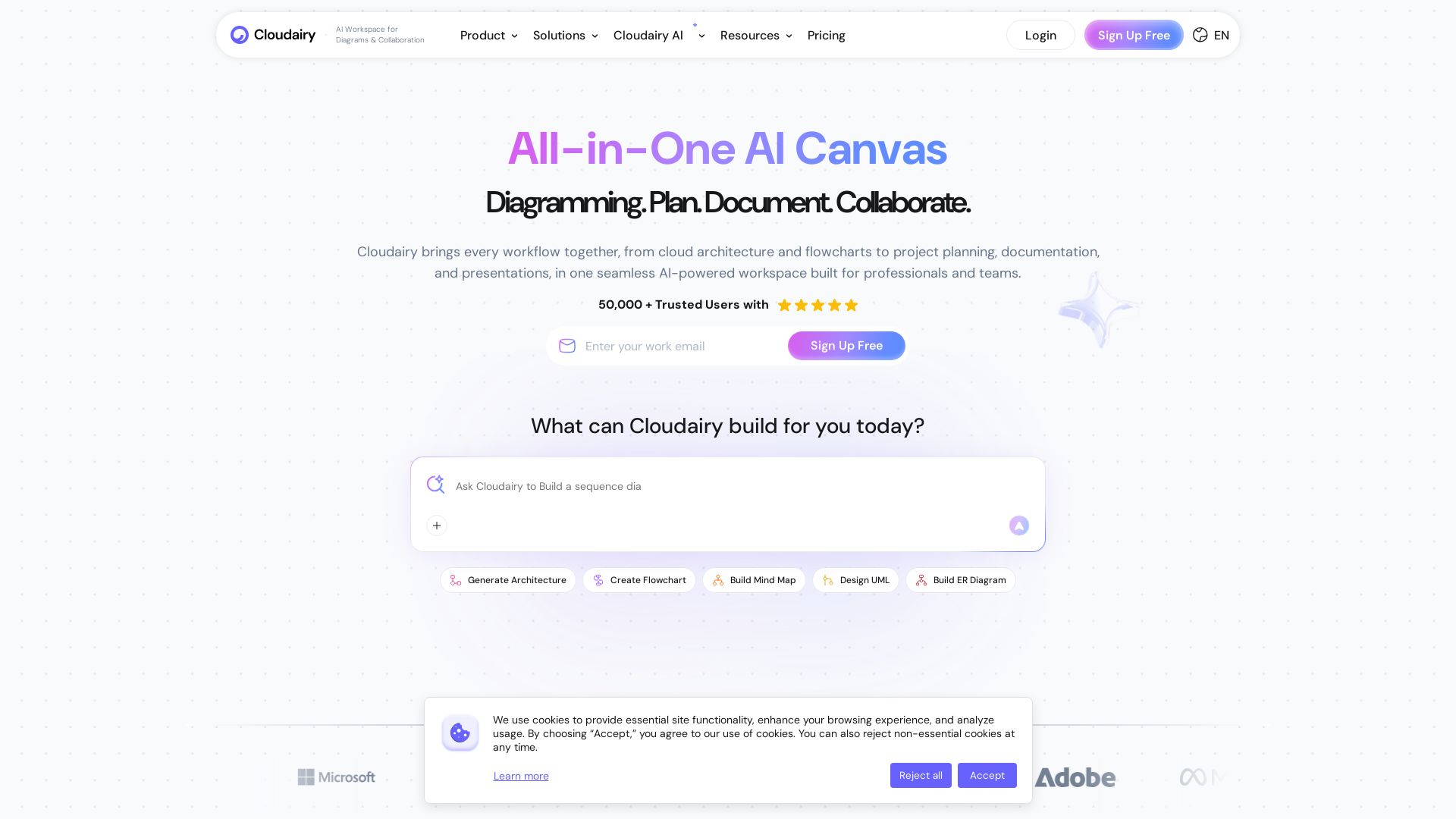
Cloudairy
Create flowcharts, mind maps, cloud architectures & more with AI. All-in-one workspace for diagrams, docs, and project planning. Trusted by 50,000+ professionals.


AIDesigner
Create premium UI, logos, brand kits, and more with AIDesigner. No design experience needed. Free to try, no credit card required. Join 15,000+ users.


Anima
Convert Figma designs, images, and code into live HTML/React apps. AI with design context for developers and agents.

ℹ️ Curation Disclosure: The overview and features of EdrawMax were synthesized using AI and fact-checked by our curation team to ensure accuracy.